Image Sync Fix for Assignment Materials
Problem
When syncing homework materials that contain PNG files referenced in markdown (like hw4.md), the image files were not being copied to the website directory, causing 404 errors when viewing the assignments on the website.
Root Cause
The sync_materials.py script was copying markdown files but not processing the image references within them. The script only handled files explicitly listed in meta.yml files, but didn’t parse markdown content for embedded image references.
Solution Implemented
1. Added Image Processing Function
Created process_image_references() method that:
- Parses markdown content for image references using regex:
!\[([^\]]*)\]\(([^)]+)\) - Identifies local image files (skips external URLs and absolute paths)
- Copies referenced images to the appropriate website directory
- Updates image paths in markdown to use website-relative URLs
2. Integration with Markdown Copying
Modified copy_markdown_with_frontmatter() to call the image processing function before writing the markdown file.
3. Smart Path Resolution
The fix handles different material types:
- Assignments: Images copied to
/materials/assignments/ - Other materials: Images copied to appropriate subdirectories
- External URLs: Left unchanged
- Absolute paths: Left unchanged
Example
Before:

After:
Files Modified
sync_materials.py: Addedprocess_image_references()method and integrated it into markdown copying
Testing
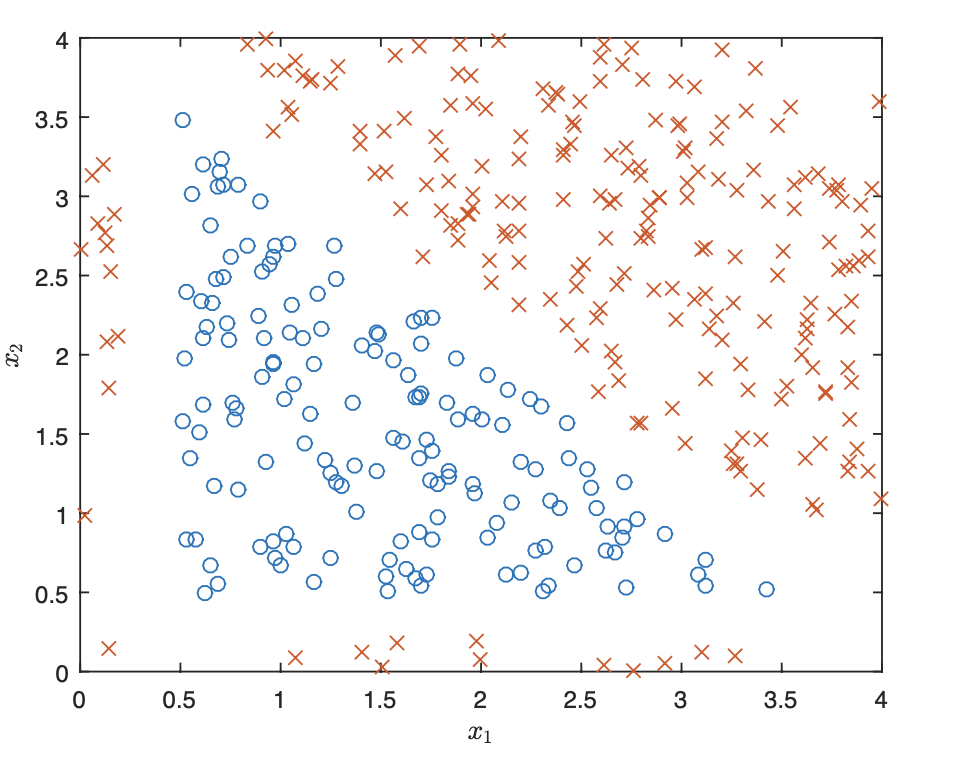
Verified that hw4.md images (p1-data.png, nn-image.png) are now properly copied and referenced
Confirmed no more 404 errors for assignment images
Tested with Jekyll server - images load correctly
Usage
The fix is automatic - no changes needed to existing workflow:
- Run
python sync_materials.pyas usual - Images referenced in markdown files are automatically copied and paths updated
- Website displays images correctly
Supported Image Formats
The fix handles all common image formats:
- PNG (
.png) - JPEG (
.jpg,.jpeg) - GIF (
.gif) - SVG (
.svg) - And any other format referenced in markdown
Future Enhancements
- Could extend to handle other media types (videos, audio)
- Could add image optimization during copy
- Could support relative paths with subdirectories